
Best Tablets for Students 2026 — Top 5 Picks
Top student tablets evaluated for digital stylus handwriting precision, low digitizer latency, PDF textbook annotation, and lecture split-screen multitasking.
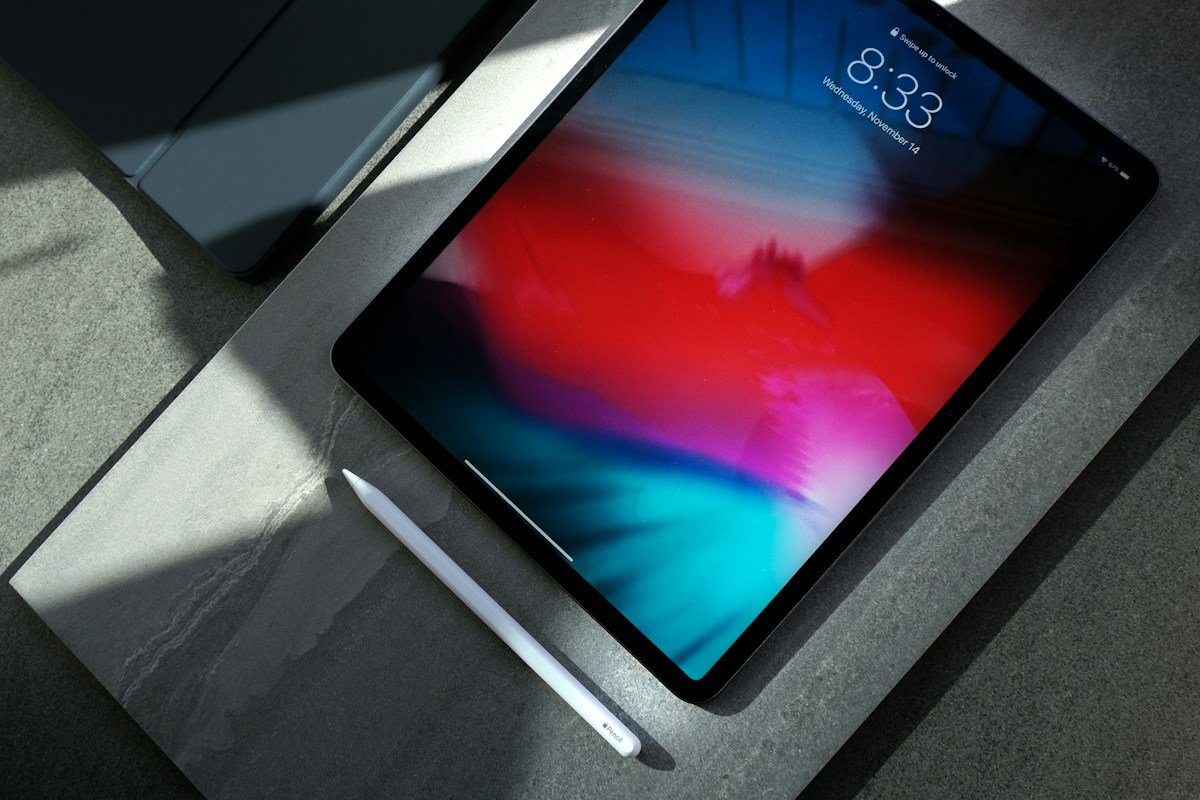
We analyze stylus response latency, digitizer palm rejection reliability, display laminations, battery drainage during active screen-on note-taking, and software longevity from official technical documentation and independent benchmark reports.
| Award | Model | Stylus Support | Price Target | Best For |
|---|---|---|---|---|
| Best Overall Student Tablet | Apple iPad Air 11-inch | Apple Pencil Pro (Magnetic) | ~$599 | Pre-med, STEM, Creative Design |
| Best Value Android (Pen Included) | Samsung Galaxy Tab S9 FE | S-Pen Included in Box | ~$449 | PDF annotation, Media, Android users |
| Best Budget Entry Tablet | Apple iPad 10th / 11th Gen | Apple Pencil (USB-C) | ~$349 | High school, general lecture notes |
Why a Tablet is Essential for Modern Coursework
While a laptop remains crucial for coding, statistical software, and long research papers, tablets offer distinct advantages for handwriting mathematics equations, drawing anatomical diagrams, annotating digital PDF slide decks, and highlighting textbooks without carrying heavy physical binders.
However, choosing the right student tablet depends heavily on whether you already use an iPhone, Mac, or Android smartphone, as well as whether your coursework relies primarily on handwriting or typed document processing.
Key Buying Factors for Student Tablets
- Stylus Latency & Digitizer Feel: For organic chemistry formulas and rapid lecture note-taking, low digitizer latency (under 9ms) and reliable palm rejection are essential to prevent phantom palm touches.
- Laminated vs. Non-Laminated Displays: Laminated screens bond the cover glass directly to the display panel, eliminating the hollow "air gap" tap sound and visual parallax when writing with a stylus.
- Note-Taking App Ecosystem: iPadOS offers class-leading note apps like GoodNotes, Notability, and Procreate, while Android features robust integrations with Samsung Notes, OneNote, and full desktop multitasking via Samsung DeX.
- Out-of-Box Total Cost: Consider the total cost of ownership. Some tablets include a stylus in the retail box, whereas others require an additional $79–$129 stylus accessory purchase.
Top Product Evaluations
Apple iPad Air 11-inch
Powered by Apple M-series silicon, the 11-inch iPad Air delivers exceptional processing headroom for multi-window Stage Manager multitasking, 3D anatomical rendering, and video editing. Its fully laminated Liquid Retina screen features an anti-reflective coating that makes extended library study sessions comfortable under harsh overhead lighting.
Pros
- Fully laminated Liquid Retina display with zero parallax gap
- M-series desktop-grade processor ensures 5+ years of software support
- Supports Apple Pencil Pro with haptic feedback and barrel roll gestures
- Unmatched tablet app ecosystem for academic study tools
Cons
- Apple Pencil Pro is a separate purchase (~$129)
- Standard 60Hz refresh rate rather than 120Hz ProMotion
Samsung Galaxy Tab S9 FE
The Galaxy Tab S9 FE is the benchmark for student value in the Android ecosystem. It bundles Samsung's magnetic, battery-free S-Pen directly in the retail box, eliminating hidden accessory costs. With an IP68 water and dust resistance rating, it provides peace of mind against accidental cafeteria coffee spills.
Pros
- Low-latency S-Pen included in the box at no extra charge
- IP68 water and dust resistance for campus durability
- Smooth 90Hz refresh rate display for responsive scrolling
- Samsung DeX provides a desktop-style windowed interface
Cons
- Mid-range Exynos processor is not built for heavy 3D gaming or 4K rendering
- Android tablet app catalog has fewer creative illustration apps than iPadOS
Apple iPad (10th Gen)
The standard 10th Gen iPad delivers the full iPadOS experience at an accessible entry price. Featuring a modern 10.9-inch edge-to-edge design, landscape stereo speakers, and USB-C charging, it handles PDF annotation, digital textbook reading, and streaming lectures with ease.
Pros
- Most affordable entry point into the iPadOS educational app ecosystem
- Reliable all-day battery life for 8+ hours of lecture viewing
- USB-C universal port for charging with standard phone and laptop cables
Cons
- Non-laminated display creates a slight hollow tap feel when writing
- Compatible with Apple Pencil (USB-C) and 1st Gen, but lacks Pencil Pro features